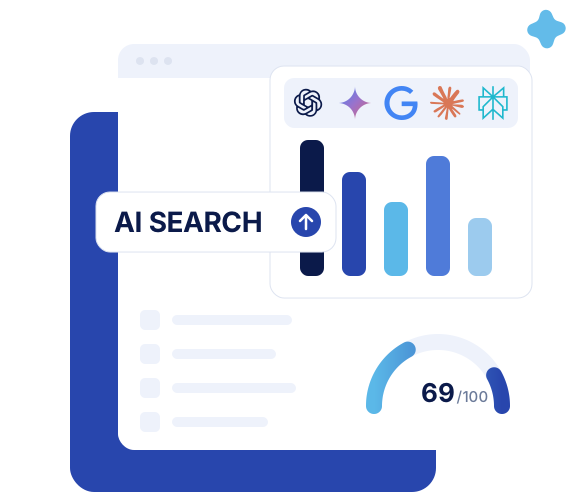
ChatGPT visual ads raise the stakes for AI search visibility
OpenAI is adding visual ads and deeper measurement to ChatGPT. That turns AI search visibility into a real brand growth channel, not a side experiment.
Google's new AI Search impression report matters, but only if you read it for what it is. It shows where your URLs appear inside AI Overviews and AI Mode, broken out by page, country, device, and date. It does not show the query, the click, the citation position, the passage used, or the conversion. That makes it useful for diagnosis, not for victory laps.
For SEO and GEO teams, the real gain is simple: you can finally separate Google's generative visibility from the rest of Search Console. GEO, or generative engine optimization, is the practice of improving how your brand and content appear inside AI-generated answers. This new report gives you a cleaner view of where Google is willing to surface your pages in those answers. It still does not tell you whether that visibility changed user behavior.
Google has added dedicated reporting for generative search visibility, and that is the core update. In Search, the report covers appearances in AI Overviews and AI Mode. It also lets you break those impressions down by URL, country, device, and date, which is enough to start pattern analysis instead of guessing from blended performance data.
There are two important limits to keep in mind from the start. First, Google is rolling this reporting out gradually while it tests and collects feedback, so not every property will see the same experience immediately. Second, the report is narrow by design. It tells you where your content appeared in Google's generative surfaces, not why it appeared, what query triggered it, or whether the user actually engaged with it.
| What the report gives you | What the report still does not give you |
|---|---|
| Impressions from AI Overviews and AI Mode | Queries |
| Breakdowns by page, country, device, and date | Dedicated clicks and CTR for those AI appearances |
| A separate view from traditional Search Console reporting | Average position you can interpret cleanly for AI visibility |
| A diagnostic starting point for URL-level analysis | Citation placement, supporting passage, conversions, or revenue |
Google also treats generative Discover separately, which means this is not a single master view of every AI surface. And there is another detail many teams will notice: Google is testing a control that lets site owners include or exclude their content from AI Overviews, AI Mode, and generative Discover without removing that content from classic search results. That sounds powerful, but it is not a button to press casually. If you opt out, you are also opting out of the visibility and possible traffic those surfaces may generate.
An AI Search impression is Google's record that a link to your site was shown inside a generative feature. That sounds straightforward, but the reporting logic changes depending on how the data is aggregated. If you miss that nuance, your exports will look broken when they are not.
Here is the simplest example. Imagine an AI Overview cites both a product page and a research report from the same domain. At the property level, Google may count that response as one impression for the site. At the page level, each cited URL may receive its own impression. So the sum of page-level rows will not always match the top-line property total.
That difference matters because many teams will export the page table, add everything together, and assume Search Console has a math problem. It does not. The dimensions are different.
This is one of the first places where marketers need to slow down. A bigger number is not always more visibility. Sometimes it is just more granularity.
AI impressions and traditional search impressions share a label, but they do not describe the same user experience. In conventional search, the listing is the product being evaluated. In AI search, the generated answer is the product, and your link is supporting evidence inside it.
That changes how the metric should be interpreted. In AI Overviews, a citation may only count once it has actually been brought into view, for example after scrolling or expansion. In AI Mode, a follow-up question is treated as a new query, which means the same user session can create additional opportunities for impressions as the conversation develops.
For reporting, the practical takeaway is blunt: do not throw AI impressions and standard organic impressions into one bucket and call it total search visibility. That blended number looks neat on a dashboard and explains almost nothing. The same warning applies to blended CTR. If the underlying experience is different, the metric mashup is usually fiction with decimals.
A useful mental model is this: classic impressions measure ranking exposure, while AI impressions measure citation exposure within an answer interface. Both matter. They just answer different questions.
The report is most valuable as a comparison tool. It helps you see which pages Google can use in generative answers, then compare those pages with how they perform in traditional search, how they are structured, and how well they support synthesis. That is a much better use case than treating the total impression count as a KPI on its own.
This pattern usually means a page ranks, but is not especially useful as an extractable source. A page can win in classic search and still be a weak input for an AI-generated answer if the core information is buried, vague, or hard to reuse.
That is where content and technical structure both matter. Review whether the page answers clear questions directly, whether the important information appears in visible HTML, and whether the headings actually describe the content. If the best material lives inside tabs, images, video, or heavy JavaScript, Google may understand the page well enough to rank it while still finding it awkward to cite.
This is exactly the kind of issue you would want to inspect with a technical layer like GEO Page Analysis. The goal is not just to publish good content. It is to make the useful parts of that content easy for machines to detect, parse, and reuse.
This is often the more interesting pattern. A page with average organic performance can still earn strong AI visibility if it contains something extremely reusable: a clear definition, a crisp comparison, a first-party statistic, or a direct explanation that lines up with how users ask questions.
If one page overperforms in AI search, study it carefully. Not because it reveals a magical ranking factor, but because it may show which content patterns Google finds easiest to work with. Look for short answers near the top of sections, clean heading hierarchy, precise scope, useful lists, and original evidence.
If you want a broader measurement framework beyond Google's own interface, BotRank's guides on how to measure your AI visibility and the GEO metrics that matter in AI search are good complements. The point is to turn one interesting URL into a testable hypothesis, not into folklore.
If most of your generative impressions come from a tiny set of URLs, group those pages by topic, template, author, and intent. You are looking for repeated patterns, not isolated wins. Maybe one template exposes summaries cleanly in HTML while another hides the answer under scripts or design elements. Maybe one topic cluster contains clear comparisons and expert commentary, while another cluster is full of generic copy.
A simple example makes this easier to see. If three comparison pages collect most of your AI impressions while fifty category pages collect almost none, the issue may not be authority. It may be that the comparison template gives Google a direct answer format that the category template does not.
This report can also help you evaluate whether substantial content changes are followed by sustained movement in AI visibility. Useful revisions include adding a clear summary, updating outdated information, consolidating overlapping pages, improving heading logic, strengthening internal links, or adding original commentary that makes the page worth citing.
The word that matters here is sustained. Do not change one heading, notice a short-term spike, and announce a breakthrough. Demand, seasonality, feature rollout, query mix, and Google's systems can all shift at the same time. A durable pattern after a meaningful revision is evidence. A three-day bump is noise until proven otherwise.
The smartest workflow is simple and boring, which is exactly why it works. Export the AI-visible URLs, compare them with classic search data for the same period, classify the pages, inspect the outliers, and keep analytics separate from Search Console assumptions. This is not a 20-tool problem at the start. It is a disciplined analysis problem.
This is also the stage where citation context starts to matter. Google's report may tell you that a URL appeared, but not how visible that citation was inside the answer or whether the cited page actually reflects the message you want associated with your brand. That is why source-level review matters, and why a workflow like Source Analysis becomes useful once you move past simple counts.
If you need a sharper warning about dashboard overconfidence, our article on why Search Console AI data can mislead marketers goes deeper into the measurement trap. The short version is that impressions are a clue about presence, not proof of impact.
Our view is straightforward. This reporting update is important, overdue, and easy to misuse at the same time. If your team treats AI impressions as a standalone success metric, you will optimize for appearances you cannot properly interpret. If you treat them as a clue about retrieval, content usability, and citation eligibility, they become genuinely useful.
This is exactly where AI Visibility matters. BotRank lets teams create reusable prompts, run them across multiple LLMs, and track how brands appear over time by model, topic, sentiment, and entity extraction. That matters because Google's report only shows one slice of one platform. It cannot tell you how ChatGPT, Perplexity, Gemini, or Claude describe your brand, which competitors they surface instead, or whether your representation changes across engines. Used together, Google's impression report tells you where you appear in its AI surfaces, while multi-LLM visibility tracking tells you how your brand is actually represented across the wider answer ecosystem.
Keep the report in the dashboard if you want, but do not pretend it is more mature than it is. The fastest way to misuse this update is to take a big new number labeled AI and give it board-level meaning before the supporting context exists.
What belongs instead? Generative impressions over time, the number of pages receiving impressions, which topics and templates are represented, which meaningful revisions were made during the period, and what identifiable AI referral traffic or conversions can be observed separately. That last word matters: separately.
Not in this dedicated generative view. The current reporting is centered on impressions by page, country, device, and date, not on the exact queries that triggered those appearances.
Not cleanly. Because the dedicated view does not yet provide the full click and CTR context marketers expect, any attempt to force a reliable AI CTR from it will be partial at best.
That decision needs caution. Google is testing controls that let publishers exclude content from those generative features, but opting out also means giving up the visibility and potential traffic they may send while leaving classic search intact.
Start with the outliers. Look first at pages with strong AI visibility despite modest organic performance, and pages with strong organic performance but weak AI visibility, because both groups reveal useful structural differences.
No. A URL can appear frequently inside AI features without generating meaningful clicks, qualified visits, or conversions. Visibility is useful, but it is not the same thing as value.
The practical next step is clear: export the AI-visible URLs, compare them with traditional search data, then inspect what Google seems able to reuse from those pages. If you want to move from diagnosis to action, pair that work with Recommendations to prioritize fixes and turn observations into a real GEO backlog. AI visibility is finally easier to isolate inside Google. The teams that benefit will be the ones that interpret the signal without pretending it says more than it does.

After nearly 15 years in digital strategy on the client side (including 10 years at Olympique Lyonnais, where he was notably in charge of SEO).
Florian co-founded BotRank.ai in 2025, the GEO (Generative Engine Optimization) tool used by more than 2,500 companies to manage their visibility in AI-generated search results. He writes regularly about GEO and AI Search.